Product demo
See GoVerge in action
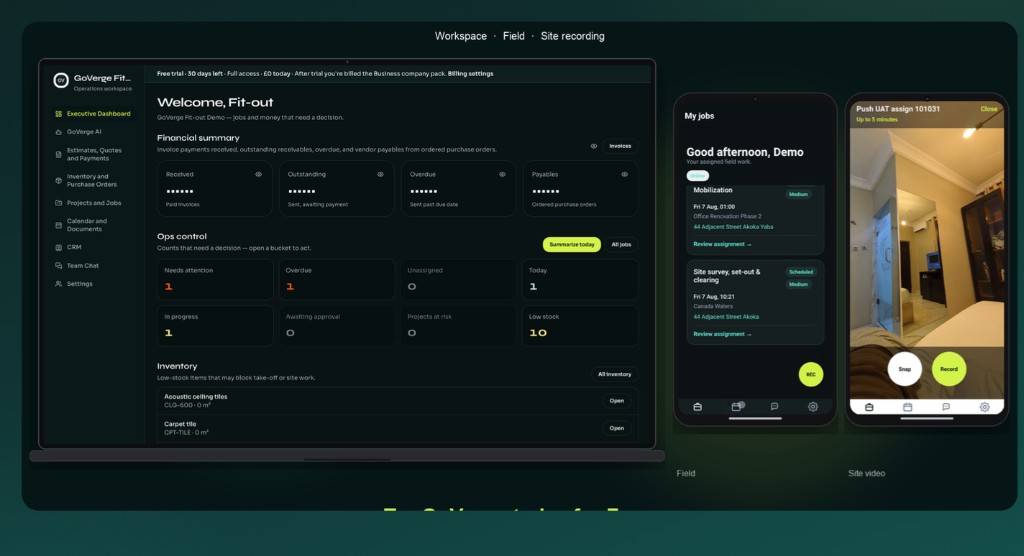
See how teams run GoVerge end to end: estimate cost with AI, turn the take-off into a quote, dispatch jobs, capture proof from the field, and keep inventory, purchase orders, and team chat on the same project.
Office and field
Workspace, Field app, and site recording
The same project on the desk and on site: jobs in the Field app, proof of work, and site recording in one suite.
How it works
Projects, Estimates to Delivery in one loop
Ops & Procure Agent gets the estimate. Finance Agent turns it into client-ready quotes and payments. Field workers record site. Team Chat takes the crew off WhatsApp. One suite for office and field.
01 · Estimate & Cost
Estimate cost
Open the estimate on any project. Take-off lines and cost rates live with the job, not in a spreadsheet.
02 · GoVerge AI
Estimate cost with AI
Let AI draft the take-off lines from your scope, then review and confirm every line before it lands.
03 · Finance
Quote from the estimate
Turn the estimate into a client-ready quote, then invoices and pay links from the same record.
04 · Field app
Deliver in the field
Crews see their jobs, capture photos and video on site, and record proof of work on the same job.
05 · One chat per project
Team Chat
Messages and files stay tied to the project, so office and field share one thread.
06 · Inventory and Purchase Orders
Ops & Procure Agent
Stock, suppliers, and purchase orders stay linked to the projects that consume them.
Every team works from the same project: one suite for office and field.